
Download Easy Watermark Creator – watermark, image, photo, logo, text, customize, batch, protect, Android, tool
Overview
Easy Watermark Creator is a dedicated mobile tool designed to help users protect and personalize their digital images with ease. Built for Android, the app enables individuals and creators to embed watermarks—whether text-based or logo-driven—onto their photos directly from their smartphones. Its core purpose lies in safeguarding intellectual property by ensuring that images are properly attributed when shared across social media, websites, or messaging platforms. The app is particularly useful for photographers, graphic designers, content creators, and small business owners who frequently distribute visual content online.
By allowing users to customize watermarks with personal text or logos, Easy Watermark Creator enhances brand visibility and reduces the risk of unauthorized use. The app’s focus on simplicity and efficiency makes it accessible even to users without advanced design experience. Although the developer did not provide additional technical details, the app’s long-standing presence since its release on May 5, 2014, suggests a stable and reliable platform. It remains relevant in the mobile productivity ecosystem by offering a lightweight, no-frills solution to a common digital challenge: image protection.
Real-world use cases include watermarking portfolio images before sharing on Instagram, adding a signature to product photos for e-commerce, or securing event photos for personal or professional use. With a file size of just 10.5 MB, the app is optimized for performance and storage efficiency, making it suitable for a wide range of Android devices.
Key Features & Functionality
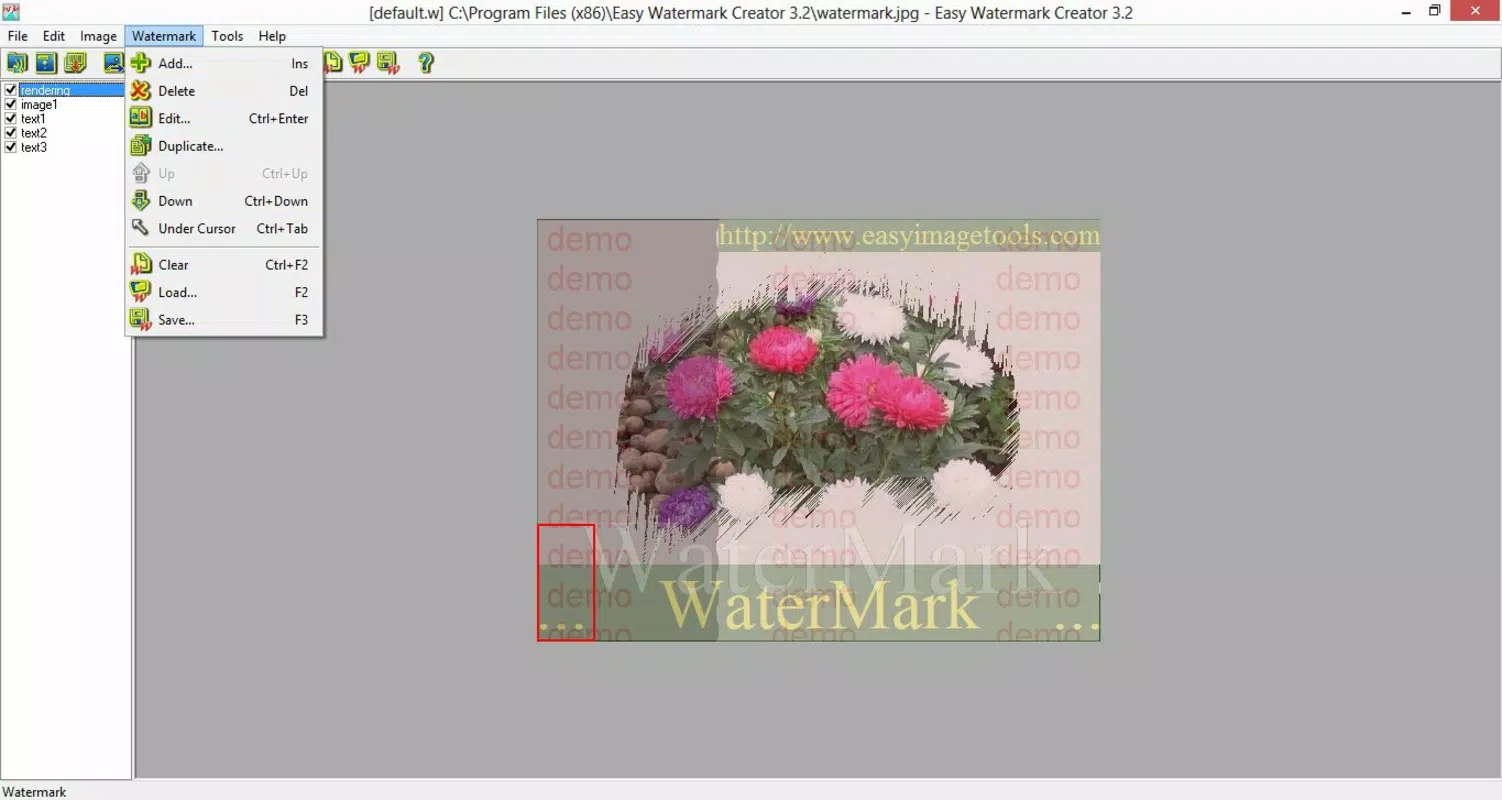
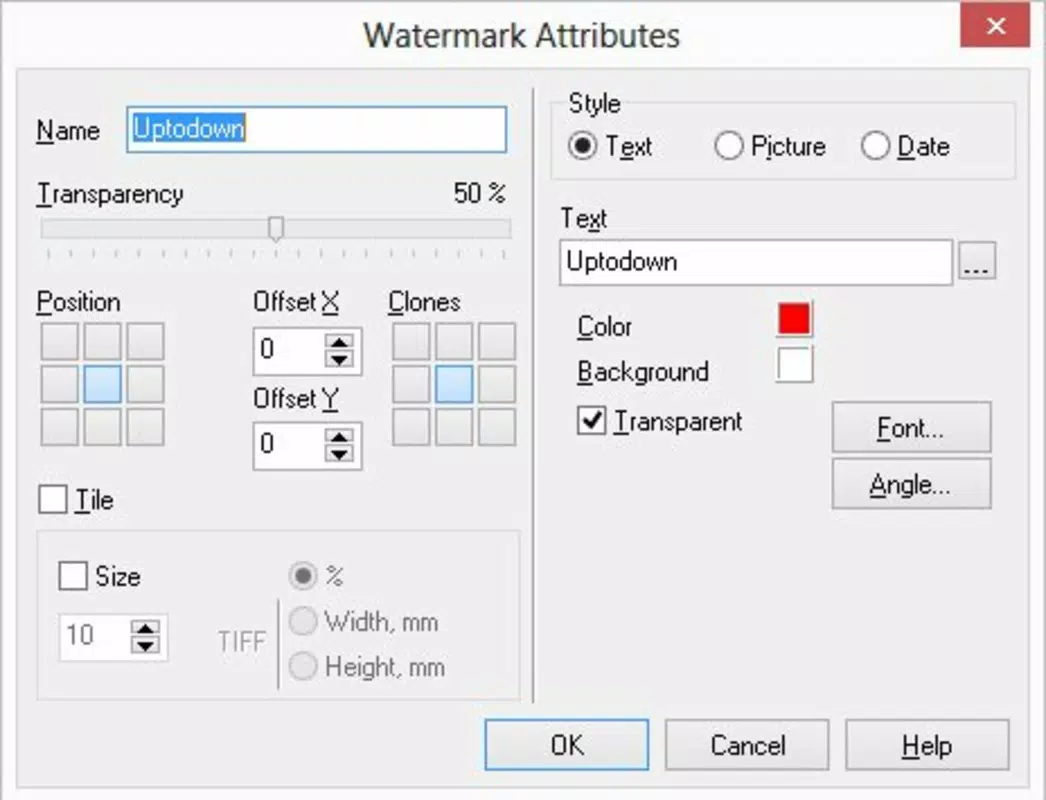
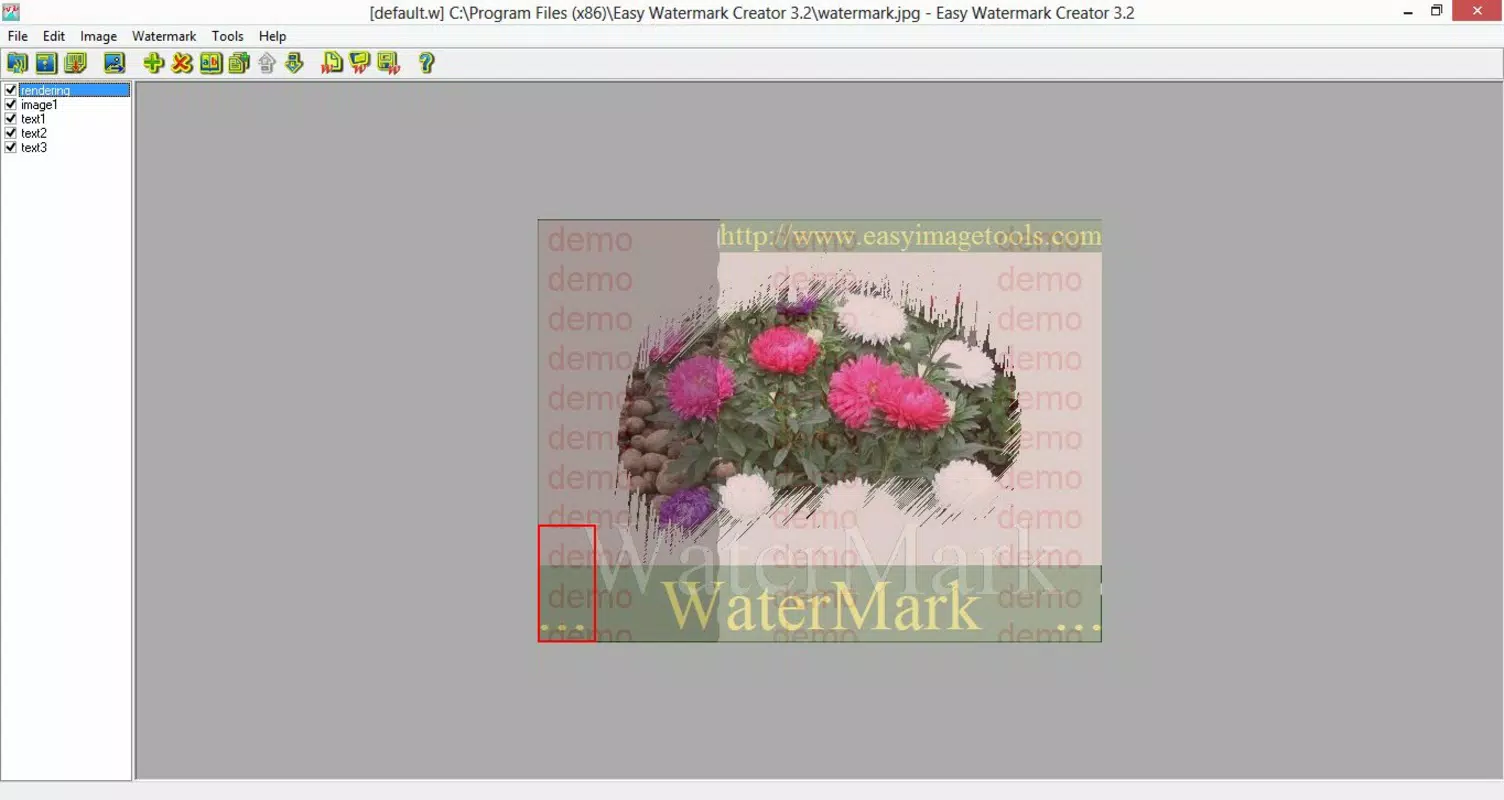
- Customizable Interface: The app offers a graphic interface that users can adapt to their workflow preferences. This allows for intuitive navigation and real-time adjustments during the watermark creation process.
- Batch Processing Capability: Users can apply watermarks to multiple images at once, significantly reducing time and effort—ideal for bulk editing tasks such as preparing a photo gallery or updating a portfolio.
- Text and Logo Options: The app supports both text-based and logo-based watermark creation. Users can choose font styles, sizes, colors, and placement positions to match their branding or aesthetic needs.
- Quick Setup and Usage: The onboarding process is designed to be immediate and straightforward. Users can begin editing images within seconds of launching the app, minimizing the learning curve.
- Protects Creative Work: By embedding visible watermarks, the app helps prevent image theft and misattribution, ensuring that original creators receive proper credit.
For example, a freelance photographer might use the batch feature to watermark 50 images from a recent shoot before uploading them to a client’s review page. Similarly, a small business owner could add a branded logo watermark to product images before listing them on an online marketplace. These practical applications highlight the app’s value in real-world digital workflows.
Interface, UX & Performance
Easy Watermark Creator features a clean and minimalistic user interface, optimized for touch-based interaction on Android devices. The layout is structured around core functions—image selection, watermark customization, and processing—ensuring a logical and intuitive navigation flow. Users can access tools with minimal taps, promoting a seamless editing experience.
The visual style emphasizes clarity and functionality over decorative elements, allowing users to focus on their content. The app maintains responsiveness across various screen sizes and device categories, though specific performance metrics were not provided. Although the developer did not list formal performance metrics, the app’s lightweight design and long-term availability suggest consistent stability and low resource consumption.
While the app does not include advanced editing tools like filters or cropping, its focused functionality contributes to faster load times and smoother operation. Users can expect minimal lag during image processing, especially when working with standard-resolution photos. The app appears to maintain stability during extended use, though no official information on crash rates or error handling was disclosed.
Platform Compatibility & Technical Requirements
Easy Watermark Creator is available exclusively on the Android platform. The current version is 1.0.4, with a file size of 10.5 MB, making it suitable for devices with limited storage capacity. The app is free to download and install, offering full access to all core features without in-app purchases or hidden fees.
Although the developer did not specify minimum OS requirements, the app’s release date of May 5, 2014, indicates compatibility with older Android versions. However, users should verify device compatibility before installation, as newer Android updates may affect functionality. No specific hardware requirements were listed, but the app’s small size suggests it can run efficiently on mid-range and budget Android devices.
Pros and Cons
- Lightweight and fast-loading with a small file size
- Supports batch watermarking for efficiency
- Offers customizable text and logo watermark options
- Simple setup and intuitive interface
- Free to download and use
- No advanced editing tools like cropping or filters
- Compatibility with older Android versions may vary
- Developer did not provide detailed technical specifications
- Limited to Android platform
- No cloud sync or export customization options
FAQ
Is Easy Watermark Creator safe to download?
Yes, the app is available through official Android channels and is free from known malware. As with any third-party app, users should ensure they are downloading from trusted sources.
Can I use Easy Watermark Creator on iOS?
Currently, the app is only available for Android devices. There is no official iOS version available.
Does the app require internet access?
Not necessarily. The app functions offline once installed, allowing users to watermark images without an active internet connection.
How often is the app updated?
While the app’s last version was released in 2014, the developer has not provided a clear update schedule. Users should check for updates manually through the app store.
Can I remove the watermark after applying it?
Once a watermark is applied and saved, it becomes part of the image file. Removing it requires editing the image again, but the original unwatermarked version must be retained for reversal.
Final Thoughts
Easy Watermark Creator stands out as a focused, no-nonsense tool for protecting digital images on Android. Its ability to batch-process images, customize watermarks with text or logos, and operate efficiently on low-end devices makes it a valuable utility for creators and professionals alike. While it lacks modern enhancements like cloud integration or advanced editing features, its core functionality remains solid and effective.
For anyone seeking a simple, free, and reliable way to safeguard their photos and maintain creative ownership, this app delivers tangible value. Its long-standing presence in the Android ecosystem is a testament to its enduring utility. Whether you're a photographer, small business owner, or casual user sharing content online, Easy Watermark Creator provides a practical solution without complexity.
Download Easy Watermark Creator now


